
Table of Contents
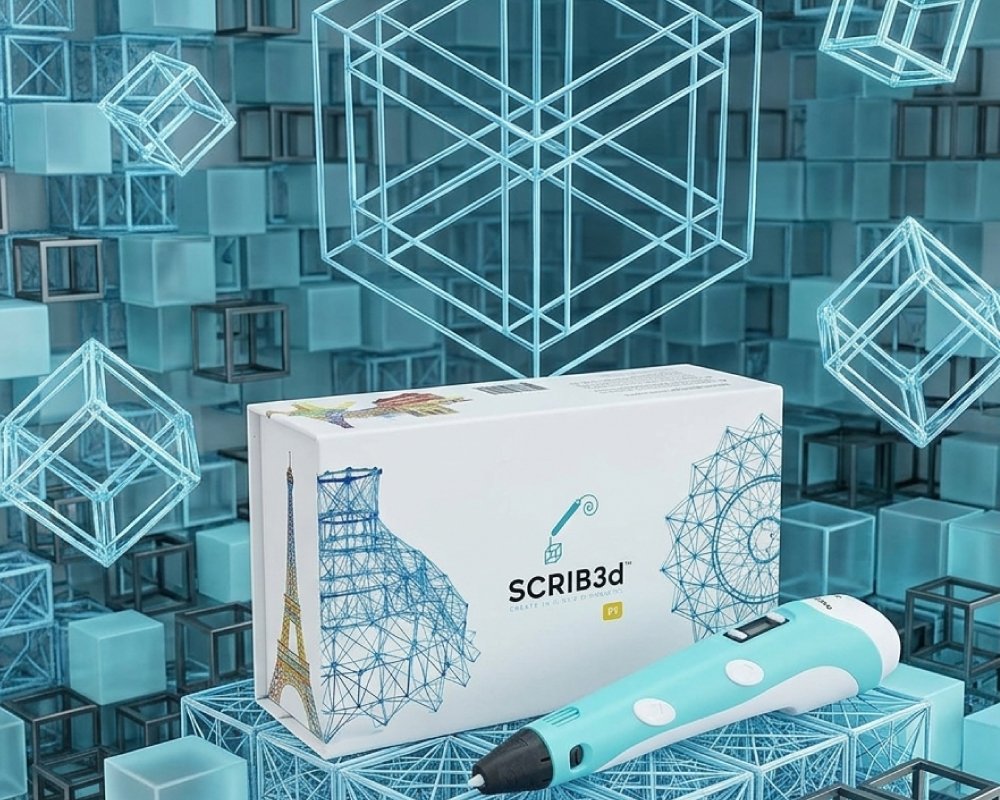
Discover the SCRIB3D P1 3D Printing Pen with Display, perfect for beginners and professionals. Create, doodle, and build 3D projects with adjustable speed, temperature control, and safe, anti-clogging features.
Introduction to 3D Printing Pen
What Is a 3D Printing Pen
A 3D Printing Pen is a handheld device that extrudes heated filament, allowing users to draw three-dimensional objects. Unlike traditional 2D drawing tools, this pen creates structures you can touch, manipulate, and display.
Why Creative Enthusiasts Use It
Artists, hobbyists, and students use 3D pens to transform their imagination into tangible models. It enhances spatial thinking, creativity, and fine motor skills while making DIY projects fun and interactive.
Who Can Benefit From a 3D Printing Pen
From beginners experimenting with simple shapes to professionals creating prototypes or detailed designs, a 3D pen is suitable for all skill levels. It is also ideal for educational settings to teach STEM concepts.
Now that we understand its purpose, let’s explore the benefits of the SCRIB3D P1.
Benefits of Using the SCRIB3D P1 3D Printing Pen
Beginner-Friendly Design
The SCRIB3D P1 is designed for easy use. Simply plug in, heat the pen for 2-3 minutes, and feed the filament. The intuitive controls and LCD display guide beginners through the process smoothly.
Supports Multiple Filament Types
This pen works with PLA (160-210℃ / 320-410°F) and ABS (210-235℃ / 410-455°F), offering versatility for different projects. Users can experiment with various materials for creative freedom.
Adjustable Speed and Temperature
The stepless speed slider and adjustable temperature allow precise control, making it perfect for intricate designs or faster infill tasks. Users can customize output to match their skill level or project requirements.
Safe and Reliable
With a ceramic nozzle, premium motor, and anti-clogging features, the pen ensures safe operation. The auto-sleep function activates after 2 minutes of inactivity, reducing risk and saving energy.
Complete Ready-to-Use Kit
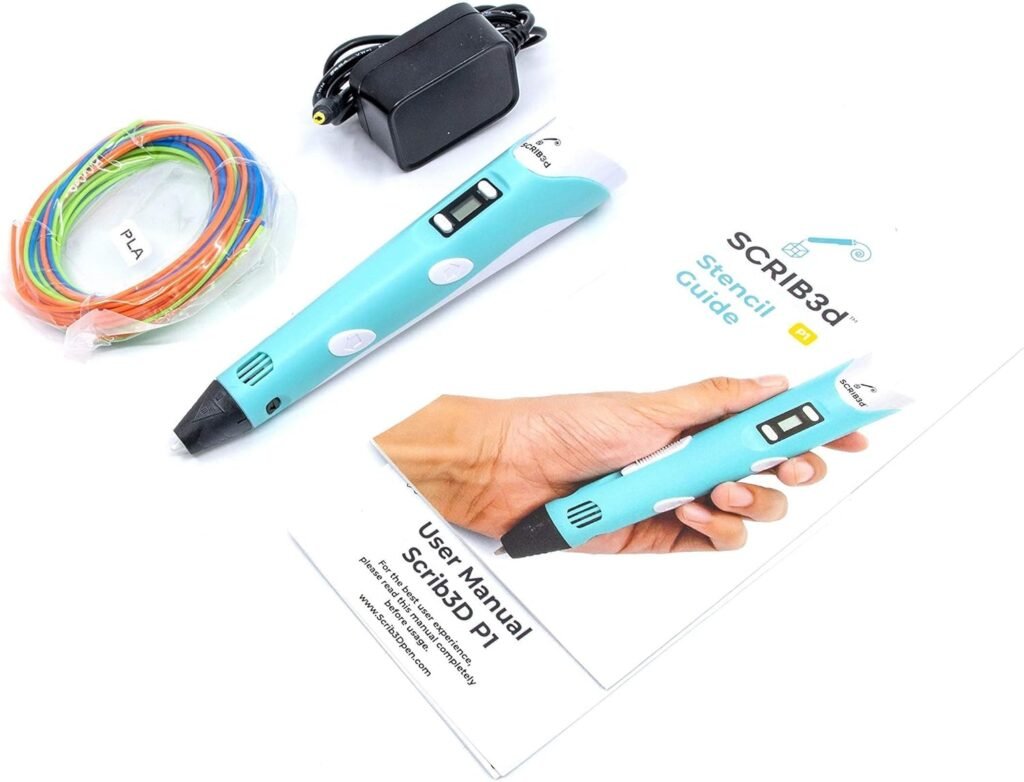
The kit includes three colors of PLA filament, a stencil guide, power adapter, and a project manual. This makes it easy to start creative projects immediately without additional purchases.
These benefits make the SCRIB3D P1 a top choice for both first-time users and experienced professionals.
Key Features of the SCRIB3D P1
LCD Display with Temperature & Power Indicators
The display shows real-time temperature and power status, allowing users to monitor settings for optimal filament extrusion.
Stepless Speed Function
Adjustable speed ensures precise control over the filament flow. Slow for detailed designs and faster for larger infill tasks.
Multi-Filament Compatibility
Supports PLA and ABS filaments, expanding the range of projects possible with the pen.
Ergonomic and Lightweight
At just 365 grams, the pen fits comfortably in hand, reducing fatigue during extended use. Its dimensions of 4.61 x 7.87 x 1.97 inches make it portable for use at home, school, or workshops.
Anti-Clogging & Safety Features
Ceramic nozzle and auto-sleep functionality minimize clogs and prevent accidental burns, providing a safe user experience.
Educational & Creative Value
Ideal for enhancing creativity, spatial reasoning, and artistic skills, the pen is suitable for both personal projects and educational activities.
Specification Table
| Feature | Details |
|---|---|
| Brand | SCRIB3D |
| Model | P1 |
| Filament Colors | 3 Colors of PLA |
| Filament Length | 30 Feet |
| Temperature Range | PLA: 160-210℃ / 320-410°F, ABS: 210-235℃ / 410-455°F |
| Display | LCD Screen with LED Power & Temperature Indicators |
| Nozzle | Removable Ceramic Nozzle with Anti-Clogging |
| Size & Weight | 4.61 x 7.87 x 1.97 inches; 365 grams |
| Power | AC Adapter, Input: 100-240V AC, 0.5A MAX, 50-60Hz, Output: +5V DC, 2A |
| Operation Mode | Manual |
| Warranty | 1 Year |
| Customer Rating | 4.4/5 |
How to Use the 3D Printing Pen
Step 1: Plug In the Pen
Connect the power adapter to the pen and plug into an outlet. The red light indicates heating in progress.
Step 2: Load Filament
Insert PLA or ABS filament into the back of the pen. Wait until it reaches the nozzle.
Step 3: Adjust Temperature and Speed
Use the LCD display and stepless slider to set optimal speed and temperature for your material and design.
Step 4: Start Creating
Press the forward button to extrude filament. Double-click for continuous flow. Use reverse to retract filament when finished.
Step 5: Finish and Store
After use, unplug the pen, allow it to cool, and store safely for next use.
Following these steps ensures a smooth and safe 3D printing experience.
Tips for Using Your 3D Printing Pen
Start with Simple Designs
Begin with basic shapes to get comfortable with extrusion and control.
Keep Filament Clean
Avoid dirt or dust on the filament to prevent clogs and ensure smooth flow.
Use a Stable Surface
Working on a flat surface reduces errors and supports intricate designs.
Experiment with Speed
Adjust the speed for fine details or larger sections to achieve desired results.
Learn from Guides
Use included stencil and project guides to improve skills and create complex structures.
Applying these tips helps maximize performance and creativity.
Common Mistakes to Avoid
Overheating the Filament
Avoid setting temperature too high for PLA, which may cause deformation or clogs.
Ignoring Flow Control
Using incorrect speed settings can result in uneven or messy prints.
Neglecting Pen Maintenance
Failing to clean the nozzle or remove leftover filament may reduce pen lifespan.
Rushing Projects
Take time for accurate layering and detailing to achieve professional-looking 3D creations.
Avoiding these mistakes ensures better results and longer pen life.
Why Choose the SCRIB3D P1
High-Quality Construction
Ceramic nozzle, premium motor, and lightweight ergonomic design provide a superior creative experience.
Beginner & Professional Friendly
Intuitive controls, LCD display, and ready-to-use kit make it suitable for all skill levels.
Versatile & Multi-Functional
Supports PLA and ABS filaments, stepless speed, and adjustable temperature for wide-ranging projects.
Safety Features
Auto-sleep and anti-clogging functions ensure a safe, risk-free user experience.
SCRIB3D P1 stands out as a reliable, versatile, and creative tool for anyone interested in 3D design.
Conclusion
The SCRIB3D P1 3D Printing Pen with Display offers a fun, creative, and educational experience. It is perfect for beginners exploring 3D design and professionals creating detailed models.
With its adjustable speed, temperature control, safe anti-clogging nozzle, and included starter kit, it’s a versatile tool for all creative projects. Whether for hobby, education, or professional design, the P1 pen empowers users to turn imagination into tangible 3D creations.
Check out more of our posts here.
As an Amazon Associate, I earn from qualifying purchases.