

Table of Contents
Discover why the Fire 7 Kids Tablet is the best choice for young children. Learn about features, safety controls, specs, and benefits for ages 3–7 in this complete guide.
When it comes to choosing the right tablet for young children, parents want a balance between fun, education, and safety. The Amazon Fire 7 Kids Tablet stands out as one of the top-selling options in the USA. Designed specifically for kids ages 3–7, this tablet offers a complete package that combines learning tools, entertainment, and strong parental controls.
In this detailed guide, you will explore everything you need to know about the Fire 7 Kids Tablet, including features, benefits, specifications, and why it is a smart investment for families.
What is the Fire 7 Kids Tablet?
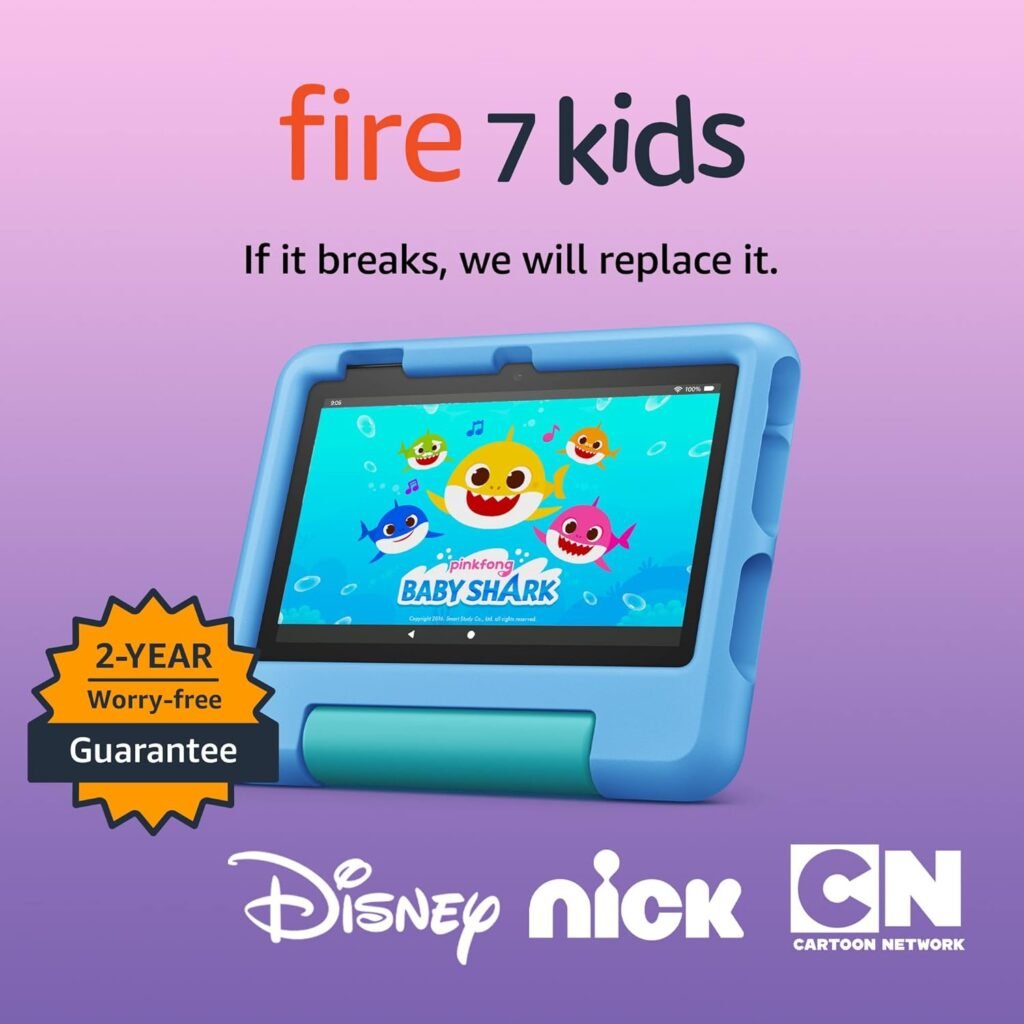
The Fire 7 Kids Tablet is a full-featured tablet designed for children, not a toy. It comes bundled with a protective case, a one-year subscription to Amazon Kids+, and a two-year worry-free guarantee.
Designed specifically for kids ages 3–7
This tablet is built for early learners. It includes age-appropriate content that helps children develop reading, math, and creative skills.
Full-feature tablet experience
Unlike many kids’ devices, it offers real tablet performance with apps, videos, and games.
Ready-to-use bundle
Parents get everything in one package, including the case, content subscription, and warranty.
This makes it an ideal starting point for children entering the digital world.
As we move forward, let’s explore what makes this tablet so popular among parents in the USA.
Fire 7 Kids Tablet Specifications Table
| Feature | Details |
|---|---|
| Display | 7” touchscreen, 1024 x 600 resolution |
| Size | 6.4” x 7.9” x 1.1” |
| Weight | 15.1 oz (429 g) |
| Processor | Quad-Core 2.0 GHz |
| RAM | 2 GB |
| Storage | 16 GB / 32 GB |
| Expandable Storage | Up to 1 TB via microSD |
| Battery Life | Up to 10 hours |
| Charging Time | حوالي 4 hours |
| Camera | 2 MP front and rear (720p HD video) |
| Connectivity | Dual-band Wi-Fi |
| Ports | USB-C, microSD slot |
| Audio | 3.5 mm jack, built-in speaker |
| Colors | Blue, Purple, Red |
| Age Range | 3–7 years |
| Generation | 12th Generation (2022) |
Key Features of Fire 7 Kids Tablet
The Fire 7 Kids Tablet offers a range of features that focus on both entertainment and education.
Amazon Kids+ subscription included
The device comes with one year of Amazon Kids+, giving access to thousands of ad-free books, games, videos, and apps from trusted brands like Disney, Nickelodeon, and PBS Kids.
No-hassle parental controls
Parents can manage screen time, filter content, and set learning goals through an easy-to-use dashboard.
Up to 10-hour battery life
Children can enjoy uninterrupted use for reading, watching, or playing throughout the day.
Durable kid-proof case
The included case protects against drops and bumps, making it perfect for everyday use.
Expandable storage
With 16 GB or 32 GB internal storage and support for up to 1TB via microSD, you never run out of space.
These features combine to create a safe and engaging digital environment.
Now that you know the main features, let’s understand how this tablet supports learning.
Educational Benefits for Kids
Parents often worry about screen time. However, the Fire 7 Kids Tablet turns screen time into learning time.
STEM-based activities
Children can explore science, math, and problem-solving through interactive apps.
Reading development tools
Thousands of books help improve vocabulary and reading skills.
Language learning content
Kids can start learning new languages at an early age.
Creative exploration
Drawing apps, puzzles, and games encourage creativity and imagination.
Because of these features, the tablet becomes more than entertainment—it becomes a learning companion.
Next, let’s look at how Amazon ensures safety for children.
Safety and Parental Control Features
Safety is one of the biggest concerns for parents, and this is where the Fire 7 Kids Tablet excels.
Content filtering by age
Parents can ensure that children only access appropriate content.
Screen time management
Set daily limits and educational goals before entertainment time.
App and website controls
Approve or block specific apps and websites easily.
Safe browsing experience
The tablet provides a controlled web environment for kids.
These tools give parents peace of mind while allowing kids to explore safely.
Moving on, let’s take a closer look at the performance and hardware.
Performance and User Experience
Even though it is designed for kids, the Fire 7 Kids Tablet delivers solid performance.
Faster quad-core processor
Up to 30% faster than the previous generation for smoother usage.
2 GB RAM for multitasking
Allows switching between apps without major lag.
Responsive touchscreen
The 7-inch display is easy for small hands to use.
Lightweight design
Comfortable for kids to hold for extended periods.
This ensures that kids enjoy a smooth and frustration-free experience.
Now, let’s break down the full specifications in detail.
With these specifications, the tablet delivers everything needed for a child-friendly device.
Next, let’s explore durability and long-term value.
Durability and Warranty
One of the biggest advantages of this tablet is its durability.
Kid-proof protective case
Designed to withstand drops, bumps, and rough handling.
Built-in stand for hands-free use
Kids can watch videos or play games without holding the device.
2-year worry-free guarantee
If the tablet breaks, Amazon will replace it for free within two years.
This makes it a risk-free investment for parents.
Now let’s see why this tablet is worth the price.
Value for Money
The Fire 7 Kids Tablet offers excellent value, especially with bundled features.
Save up to $70
Buying the bundle is cheaper than purchasing items separately.
Includes premium content
The Amazon Kids+ subscription alone adds huge value.
Long-term usability
Expandable storage and durable design ensure long-term use.
Affordable monthly continuation
After one year, subscription renews at a low monthly cost, with the option to cancel anytime.
Clearly, this tablet is designed to deliver both quality and affordability.
Next, let’s discuss how to set it up and use it.
How to Set Up the Fire 7 Kids Tablet
Setting up the tablet is quick and easy.
Step 1: Power on the device
Press the power button and follow on-screen instructions.
Step 2: Connect to Wi-Fi
Use your home network to access content and updates.
Step 3: Create child profile
Add your child’s age to customize content.
Step 4: Activate Amazon Kids+
Start the free one-year subscription.
Step 5: Set parental controls
Adjust screen time, filters, and permissions.
Within minutes, your child will have a safe and personalized experience.
Now let’s go over some useful tips for parents.
Tips for Parents Using Fire 7 Kids Tablet
To get the most out of the device, keep these tips in mind.
Set daily usage limits
Balance screen time with offline activities.
Encourage educational content first
Prioritize learning apps before entertainment.
Monitor activity regularly
Check usage reports from the Parent Dashboard.
Update content frequently
Keep apps and books fresh to maintain engagement.
These simple strategies help maximize the tablet’s benefits.
Finally, let’s wrap up everything.
Conclusion
The Amazon Fire 7 Kids Tablet is one of the best choices for parents looking to introduce technology to young children in a safe and meaningful way. It combines education, entertainment, and strong parental controls into one affordable package.
With features like a durable kid-proof case, up to 10 hours of battery life, expandable storage, and a full year of Amazon Kids+, this tablet offers everything a child needs to learn and grow.
For families in the USA looking for a reliable and kid-friendly tablet, the Fire 7 Kids Tablet remains a top recommendation.
Check out more of our posts here.
As an Amazon Associate, I earn from qualifying purchases.
Is the Fire 7 Kids Tablet suitable for a 3-year-old?

Yes, the Amazon Fire 7 Kids Tablet is specifically designed for children ages 3–7. It includes age-based content filtering, making it safe and appropriate for younger users.
Does the tablet require a subscription?
It includes a free one-year subscription to Amazon Kids+. After that, it renews monthly, but you can cancel anytime through the Parent Dashboard.
Can parents control screen time?
Yes, parents can set daily screen limits, bedtime schedules, and educational goals using the built-in parental controls.
Is the tablet durable for kids?
Absolutely. It comes with a kid-proof case that protects against drops and bumps, making it ideal for everyday use.
What happens if the tablet breaks?
The tablet includes a 2-year worry-free guarantee. If it breaks, Amazon will replace it for free within that period.
Can I add more storage to the device?
Yes, you can expand storage up to 1TB using a microSD card, allowing you to download more apps, videos, and books.
Does it support apps like Netflix or Disney+?
Yes, parents can allow access to apps like Netflix and Disney+ through the Parent Dashboard.
Does it include ads?
No, the content within Amazon Kids+ is completely ad-free, ensuring a safe and distraction-free experience for children.
