
Table of Contents
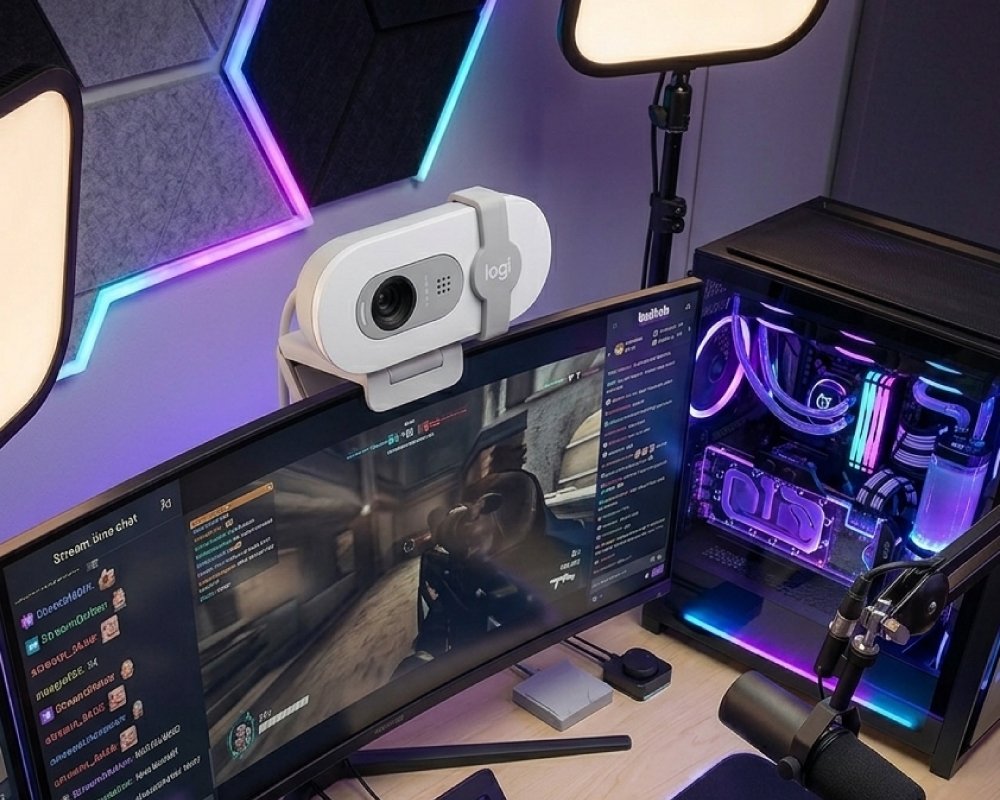
Discover the best webcam for streaming high quality video and live content. Learn about Full HD resolution, auto light correction, built-in microphone, and easy plug and play setup.
Creating high-quality video content has become essential in today’s digital world. Whether you are streaming games, attending virtual meetings, or creating content for social media, a reliable webcam plays a major role in how you present yourself online. Poor video quality or bad lighting can affect your image, while a good webcam can enhance your professionalism and viewer experience.
In this guide, we explore the best webcam for streaming, designed to deliver clear video, balanced lighting, and easy usability. With features like Full HD resolution, automatic light correction, and a built-in microphone, this webcam is perfect for both beginners and professionals.
Why You Need a Webcam for Streaming
Clear Video Communication
A high-quality webcam ensures that your video appears sharp and professional.
Better Audience Engagement
Clear visuals help keep viewers interested during live streams or meetings.
Essential for Remote Work
Webcams are necessary for video conferencing, online classes, and remote collaboration.
Improved Content Quality
Content creators benefit from better video clarity and lighting.
Using a good webcam improves both your appearance and communication online.
Key Features of the Webcam for Streaming
Full HD 1080p Resolution
Provides sharp and detailed video quality for streaming and calls.
Auto Light Correction
Automatically adjusts brightness and reduces shadows.
Built-in Microphone
Captures clear audio without needing an external mic.
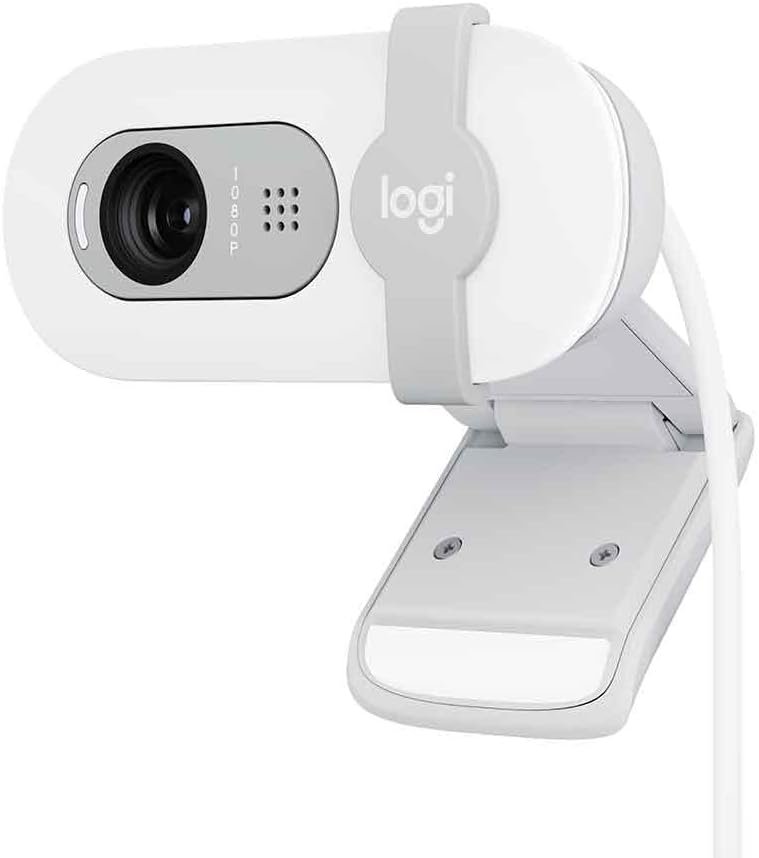
Privacy Shutter
Allows you to cover the lens when not in use.
Plug and Play Setup
Easy to connect using USB without additional software.
These features make the webcam simple, effective, and reliable.
Video Quality and Performance of Webcam for Streaming
High Definition Clarity
1080p resolution ensures a clear and professional image.
Smooth Video Output
Maintains stable performance during streaming and video calls.
Wide Compatibility
Works with popular platforms like Zoom, Teams, and Meet.
Consistent Performance
Delivers reliable video quality in different environments.
High video quality is essential for a strong online presence.
Specification Table of Webcam for Streaming:
| Feature | Details |
|---|---|
| Brand | Logitech |
| Model | Brio 100 |
| Resolution | Full HD 1080p |
| Connectivity | USB-A |
| Microphone | Built-in |
| Light Correction | Auto (RightLight) |
| Privacy Feature | Built-in Shutter |
| Weight | 75 grams |
| Color | White |
| Compatibility | PC and Video Platforms |
| Video Format | AVI |
| Aspect Ratio | 16:9 |
Automatic Light Correction Technology
Brightens Low Light Scenes
Improves visibility in dim lighting conditions.
Reduces Shadows
Creates a more balanced and natural look.
Enhances Skin Tones
Provides a more flattering appearance on camera.
No Manual Adjustment Needed
Automatically adapts to different lighting conditions.
Lighting technology helps you look your best in any environment.
Built in Microphone for Clear Audio
Clear Voice Capture
Ensures your voice is heard clearly during calls.
Noise Reduction
Minimizes background noise for better communication.
No Extra Equipment Needed
Simplifies setup by removing the need for external microphones.
Ideal for Daily Use
Perfect for meetings, streaming, and online classes.
Good audio quality is just as important as video clarity.
Privacy and Security Features
Built in Privacy Shutter
Allows you to block the camera when not in use.
Easy Slide Mechanism
Quickly open or close the lens cover.
Enhanced Security
Protects against unwanted access or accidental streaming.
Peace of Mind
Ensures complete control over your privacy.
Privacy features are essential for safe and secure usage.
Easy Setup and Compatibility
USB Plug and Play
No complicated installation required.
Works with Multiple Platforms
Compatible with Zoom, Microsoft Teams, and Google Meet.
Universal Compatibility
Supports most computers and operating systems.
Quick Start
Ready to use within seconds of connecting.
Ease of use makes this webcam ideal for all users.
Compact Design and Portability
Lightweight Build
Weighs only 75 grams, making it easy to carry.
Minimalist Design
Fits seamlessly into any workspace setup.
Travel Friendly
Perfect for remote workers and travelers.
Durable Construction
Built for long-term use and reliability.
Portability ensures flexibility in different environments.
Why This Webcam Stands Out
Reliable Video Quality
Delivers consistent Full HD performance.
Smart Lighting Adjustment
Improves image quality automatically.
Simple and User Friendly
Easy setup and operation for all users.
Built in Privacy Protection
Offers added security and peace of mind.
Trusted Brand Performance
Known for quality and reliability.
This webcam combines performance, simplicity, and security.
Tips for Better Streaming Quality
Use Good Lighting
Natural or soft lighting improves video clarity.
Position Camera Properly
Keep the webcam at eye level for a better angle.
Maintain Stable Internet
A strong connection ensures smooth streaming.
Reduce Background Noise
Choose a quiet environment for clear audio.
Clean the Lens
Regular cleaning improves video quality.
These tips help maximize your webcam’s performance.
Conclusion
A high-quality webcam is essential for anyone who wants to create professional video content or communicate effectively online. With Full HD resolution, automatic light correction, and a built-in microphone, this webcam offers everything needed for smooth and clear streaming.
Its compact design, easy setup, and privacy features make it suitable for both beginners and experienced users. Whether you are working from home, attending virtual meetings, or streaming content, this webcam ensures you always look and sound your best.
Investing in a reliable webcam enhances your online presence and improves your overall digital experience.
Check out more of our posts here.
As an Amazon Associate, I earn from qualifying purchases.